Robot Fleet Management: How Teams Keep Many Robots Running Smoothly
 Introduction
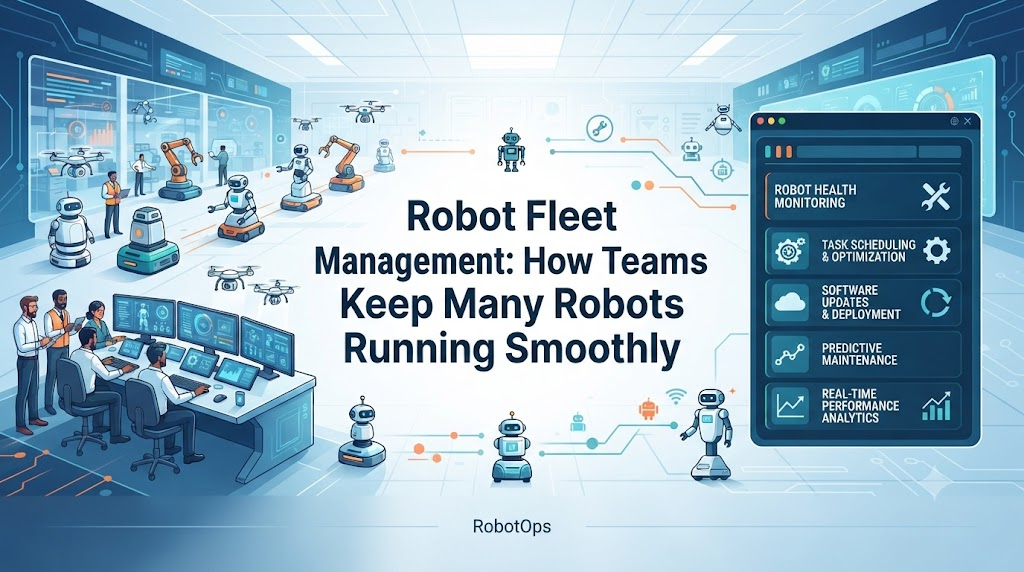
A single robot is fairly easy to manage. If it stops working, someone walks over, checks it, and fixes the problem.Now picture fifty robots working across a warehouse, or twenty robotic arms running on a factory floor. You can't walk over to each one every time something looks wrong. You need a way to see the health of every robot at once, catch problems early, and fix them without shutting down the whole operation.That's what robot fleet management is for. This article explains what it means, how it works, and the real problems it helps solve.
What Is Robot Fleet Management?
Robot fleet management is the practice of monitoring, coordinating, and maintaining a group of robots as a single system, instead of handling each robot separately.It covers things like:
- Robot health and battery status
- Location and movement
- Network connectivity
- Software versions running on each robot
- Task progress and completion
- Alerts when something goes wrong
The goal is simple: give a team clear visibility into what every robot is doing, without needing to check each one by hand.
Why One Robot Is Different From Many Robots
Managing one robot mostly means reacting to problems as they happen. Managing a fleet means preventing problems before they spread.A few things change once you're dealing with many robots:
- Coordination becomes necessary. Robots may need to avoid the same path, share charging stations, or take turns on a task.
- Software updates get harder. Updating one robot is quick. Updating fifty robots without breaking anything takes planning.
- Failures are harder to spot. One error on one robot is easy to notice. The same error hidden inside a fleet of fifty robots can go unnoticed for hours.
- Downtime costs more. If ten robots share one task queue and three go offline, the remaining seven now carry extra load.
This is why fleet management tools focus on visibility first. You can't fix what you can't see.
How Robot Fleet Management Works
Most fleet management setups follow a similar pattern:
1. Robots send data back. Each robot reports telemetry — battery level, temperature, errors, location, and connection status.
2. Data gets collected in one place. Instead of checking each robot individually, a team looks at one dashboard that shows the whole fleet.
3. Alerts flag problems. If a robot's battery drops too low, or it stops responding, the system flags it instead of waiting for someone to notice.
4. Teams act remotely. Many issues can be fixed without physically touching the robot — restarting a process, pushing a software fix, or rerouting a task to another robot.
5. Maintenance gets scheduled, not just reacted to. Tracking robot health over time makes it possible to catch wear and tear before it causes a breakdown.
A Practical Example
Say a warehouse runs twenty mobile robots moving inventory between shelves and packing stations.One robot's battery starts draining faster than normal. Without fleet monitoring, nobody notices until the robot dies mid-task and blocks an aisle.With fleet monitoring, the system flags the unusual battery drain early. The team pulls that robot out for a check, reroutes its tasks to other robots, and the warehouse keeps running without interruption.The difference isn't the robot itself — it's having visibility into its condition before it becomes a bigger problem.
Common Problems in Fleet Management
Problem: A robot loses network connection.
Cause: Weak signal area, network congestion, or hardware fault.
Detection: The robot stops sending telemetry or misses check-ins.
Response: Reroute its tasks and flag it for inspection.
Prevention: Monitor connectivity patterns and improve network coverage in weak zones.Problem: A software update fails on some robots but not others.
Cause: Version mismatches or inconsistent configurations across the fleet.
Detection: Robots report different software versions after an update.
Response: Roll back the failed robots to the previous stable version.
Prevention: Test updates on a small group before rolling them out fleet-wide.Problem: Multiple robots compete for the same path.
Cause: Poor task scheduling or outdated coordination logic.
Detection: Robots slow down, stop, or reroute unexpectedly in the same area.
Response: Adjust task assignments to reduce overlap.
Prevention: Build coordination rules into the fleet's task-planning system from the start.
Best Practices for Managing a Robot Fleet
- Track trends, not just current status. A battery that's slowly degrading is more useful to know than just today's charge level.
- Set alerts for real problems, not every minor fluctuation. Too many alerts make people ignore all of them.
- Test updates on a small group first. Rolling out changes to the whole fleet at once increases risk if something goes wrong.
- Keep a clear record of software versions. Version mismatches across robots are a common source of confusing bugs.
- Plan for network gaps. Robots working in large facilities will lose connection sometimes — design for it instead of treating it as rare.
FAQs
What is robot fleet management?
It's the process of monitoring, coordinating, and maintaining multiple robots as one connected system, rather than managing each robot on its own.How is fleet management different from RobotOps?
Fleet management is one part of RobotOps. RobotOps is the broader practice of applying software engineering and lifecycle management to robotics — fleet management specifically covers monitoring and coordinating groups of robots.Do small robot deployments need fleet management?
Even a handful of robots can benefit from basic monitoring, since catching a problem early is almost always easier than fixing it after it causes downtime.Can fleet management prevent all robot failures?
No. It can't stop hardware from wearing out or eliminate every network issue, but it makes problems visible early and reduces how much they disrupt operations.
Conclusion
Robot fleet management isn't about adding complexity — it's about making a growing number of robots manageable. Once you're past a handful of robots, visibility, coordination, and remote monitoring stop being optional and start being the difference between smooth operations and constant firefighting.RobotsOps.com covers this topic, along with related areas like robotics operations centers, telemetry, and lifecycle management, for people looking to understand robotics operations in more depth.
