Simplify URL Management with URLSnow for Better Digital Organization Online
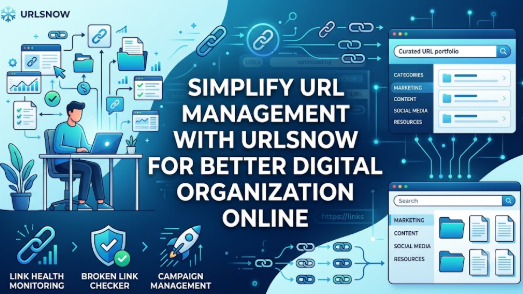 Running any kind of digital presence eventually leads to one universal headache: link overload. Whether you manage a small business, run marketing campaigns, publish weekly articles, or showcase creative work, your digital assets grow constantly. Every new article, landing page, social profile, and client deliverable comes with its own web address.At first, keeping track of everything seems simple enough. You bookmark a few important pages in your browser. You drop campaign links into a shared document. You save a few client URLs in a notes app.As time goes on, these links scatter across different places. A landing page goes live, but nobody remembers the exact link two months later. An important affiliate link breaks, and no one notices until revenue drops. A client asks for a portfolio of recent work, and you spend half an hour hunting through browser bookmarks and old emails trying to find the right URLs.This constant search for scattered web addresses wastes time, creates confusion, and leads to broken digital customer experiences. Managing links does not have to feel like sorting through a disorganized digital closet. Centralized URL management helps bring order back to your online assets, saving time and keeping your digital footprint organized.
What Is a URL Management Tool?
A URL management tool acts as a single, central hub for organizing, tracking, and maintaining every link connected to your online work. Instead of relying on browser bookmarks, messy spreadsheets, or random notes, a specialized management tool lets you store web addresses in one place, structure them into logical categories, and check whether they work properly.Think about how a physical library operates. A library does not dump thousands of books into a giant pile on the floor. It uses cataloging systems, categories, sections, and call numbers so that anyone can find a specific book in seconds.A URL management tool works the same way for your web addresses.Consider a small agency launching a new marketing campaign. They need to keep track of five landing pages, three social media profiles, four tracking links, and two partner sites. Without a system, team members constantly ask each other, "Where is the link for the new promo page?"With a central management tool, every team member goes to one shared, organized space to find the exact, verified link they need right away.
Why Managing Many URLs Becomes Difficult
As your online activity expands, managing links manually becomes difficult for several predictable reasons:
- Link Scatter Across Multiple Apps: Important URLs end up split between browser bookmarks, project management tools, messaging apps, personal notes, and spreadsheets.
- The "Lost Link" Syndrome: Finding a specific web address created a few months ago turns into a frustrating search across multiple platforms.
- Duplicate and Outdated Links: Multiple versions of the same link (such as draft pages, staging environments, and live web addresses) lead to confusion about which URL is the right one to share.
- Silent Link Rot: Webpages change, site structures update, and domain names expire. Links break quietly without warning, leaving site visitors facing blank pages or errors.
- Siloed Campaign Links: Marketing teams often launch temporary links for promotional campaigns. Once campaigns end, these links sit forgotten, cluttering up storage systems and confusing staff.
- Unorganized Online Portfolios: Freelancers and creators often struggle to keep an updated list of their published work because their work lives across dozens of different client websites.
When you manage dozens or hundreds of URLs without a structured system, these small issues compound into lost productivity, broken user experiences, and missed opportunities.
What Is URLsNow?
URLsNow is a centralized link platform designed to help individuals, teams, and organizations organize, monitor, and share their digital web addresses. It bridges the gap between chaotic link collection and clean, organized link management.The platform caters to anyone who works extensively online—from digital marketers running multiple campaigns to content creators assembling portfolios and small business owners keeping track of their online assets.By bringing your web addresses into a single dashboard, URLsNow gives you complete visibility over your digital presence. Instead of wondering if a link works or where it was saved, you have a single space where web addresses are categorized, easily searchable, and continuously checked for performance.
Key URLsNow Features Explained Through Real Problems
URL Management Tool
- The Problem: Important links end up scattered across different team members' personal browsers and chat histories. When someone goes on vacation or leaves the company, access to crucial links disappears with them.
- Why It Matters: Searching for misplaced links wastes valuable time and creates unnecessary project delays.
- How URLsNow Helps: URLsNow offers a single, structured environment where all important web addresses can be imported, classified, and maintained.
- Practical Benefit: Everyone on your team knows exactly where to look for verified links, cutting down search time and keeping project workflows smooth.
URL Organizer Tool
- The Problem: Browsers and basic bookmarking tools offer limited organization. As bookmark lists grow, they become long, unmanageable lists where finding a specific web page takes far too long.
- Why It Matters: Poor organization leads to duplicate effort, where team members recreate pages or links simply because they cannot locate the original ones.
- How URLsNow Helps: The platform lets users organize links into distinct categories, folders, and custom collections. You can tag web addresses based on projects, departments, or campaigns.
- Practical Benefit: You can locate any saved link in seconds using clear folder structures and search tags, keeping your workspace clean and efficient.
Automatic Broken Link Monitoring
- The Problem: Websites update, page structures change, and third-party content moves. Over time, links stop working without any obvious sign, leaving visitors on dead-end error pages.
- Why It Matters: Broken links frustrate users, damage your professional credibility, and lead to abandoned user journeys.
- How URLsNow Helps: URLsNow automatically checks your saved web addresses in the background to ensure they remain accessible and active.
- Practical Benefit: You receive alerts about broken links as soon as they fail, allowing you to fix or update them before your clients, visitors, or customers notice an issue.
URL Health Monitoring Tool
- The Problem: A link might technically load, but it could be suffering from slow response times, unexpected redirects, or intermittent server drops.
- Why It Matters: Poor link responsiveness frustrates users and reduces the overall quality of your digital campaigns.
- How URLsNow Helps: The health monitoring capabilities track availability, response statuses, and redirect paths across your saved links.
- Practical Benefit: You gain peace of mind knowing that your high-priority digital assets—like landing pages and sign-up forms—are working properly and delivering a smooth user experience.
Campaign Link Management Tool
- The Problem: Marketing campaigns rely on dozens of custom links across social media, email newsletters, paid ads, and partner sites. Keeping track of which URL belongs to which channel easily becomes overwhelming.
- Why It Matters: Mixing up campaign links leads to inaccurate campaign tracking, misallocated marketing budgets, and broken conversion funnels.
- How URLsNow Helps: URLsNow provides dedicated campaign management features that allow marketers to store, label, and group campaign-specific URLs in one clean view.
- Practical Benefit: Marketers can organize, audit, and update campaign addresses quickly, ensuring every promotional link points to the correct destination.
Link Portfolio Management
- The Problem: Freelancers, writers, designers, and consultants have work spread across many different publications and client websites. Maintaining an accurate, up-to-date portfolio of these external links is time-consuming.
- Why It Matters: Outdated portfolio links or broken work samples can prevent potential clients from seeing your best and most recent work.
- How URLsNow Helps: Users can curating and organizing links into structured portfolios that showcase articles, project highlights, design work, or software releases.
- Practical Benefit: You can build a clean, professional, and easily shareable showcase of your work that stays organized as your career grows.
Free Link in Bio Tool
- The Problem: Many social media platforms restrict profiles to a single website link, making it hard to direct followers to multiple important resources, such as new articles, store pages, and contact forms.
- Why It Matters: Limiting your audience to a single static destination reduces engagement across your other digital channels.
- How URLsNow Helps: URLsNow lets creators compile their key links into a single, mobile-optimized landing page that fits directly into any social bio.
- Practical Benefit: Followers can easily navigate to all your important content, products, and channels from a single, clean destination page.
Content Link Management Tool
- The Problem: Publishers, bloggers, and editorial teams manage hundreds of published posts, resource guides, and affiliate links. Keeping track of internal and external references across a large content library is difficult.
- Why It Matters: Old articles often contain outdated links, broken destination pages, or obsolete affiliate programs that cost you potential revenue.
- How URLsNow Helps: Content creators can organize links by article topic, publish date, or content category, making content audits simple and fast.
- Practical Benefit: Editorial teams can easily review and refresh old content links, keeping published articles accurate and useful for readers over time.
Digital Footprint Management Tool
- The Problem: Businesses and active professionals maintain web addresses across dozens of platforms—including business directories, review sites, social channels, external blogs, and partner pages.
- Why It Matters: An untracked digital footprint leads to inconsistent branding, outdated business information, and lost control over your online presence.
- How URLsNow Helps: By bringing every external link representing your brand into a single dashboard, URLsNow gives you complete visibility over your digital footprint.
- Practical Benefit: You can audit, review, and maintain your online brand identity across every third-party site from one central hub.
Who Can Benefit from URLsNow?
Different digital roles face unique link management challenges. Here is how organized URL management helps across various professions:
- Digital Marketers: Marketers often manage high volumes of promotional URLs. Centralized management keeps promotional, ad, and social links organized by campaign, avoiding channel mix-ups.
- Marketing Agencies: Agencies manage campaigns for multiple clients simultaneously. Grouping links by client account ensures clear separation, easier internal collaboration, and faster reporting.
- Bloggers & Publishers: Content creators manage extensive libraries of published articles and external references. Organizing links by topic makes internal linking and content updates much faster.
- Developers & Tech Teams: Technical teams work with staging environments, API documentation, repository links, and production environments. Storing these web addresses centrally prevents confusion between live and test builds.
- Freelancers & Consultants: Independent professionals rely on past work to win new business. Dedicated link portfolio management allows them to present past projects cleanly to prospective clients.
- Small Business Owners: Small businesses maintain listings across local directories, social networks, Google profiles, and review platforms. Centralizing these links keeps business information accurate everywhere.
- Affiliate Marketers: Managing hundreds of affiliate links across multiple niches requires strict organization. Systematic link tracking makes sure active promotions use current, working affiliate links.
Real-Life Ways People Can Use URLsNow
Scenario 1: The Digital Marketer Running a Seasonal Product Launch
A marketer launches a seasonal sale across email, social media, and paid search. They create distinct landing page URLs for each channel. By organizing all launch-related web addresses in a dedicated URLsNow folder, the marketer keeps every link labeled correctly. If a landing page changes, they can quickly update the central list without digging through old email threads.
Scenario 2: The Content Creator Managing Social Traffic
An online video creator wants to direct viewers to their latest video, online shop, podcast episode, and newsletter sign-up. Instead of constantly swapping out their single social bio link, they set up a centralized URLsNow link-in-bio page. Viewers access all key resources from one page, while the creator manages the destinations from a single dashboard.
Scenario 3: The Blogger Refreshing Old Articles
A blogger with over 300 published articles wants to conduct a quarterly content review. By storing important internal and external content links in URLsNow, they receive alerts about broken destination links. They can instantly swap out broken references for live ones, keeping old blog posts fresh and reliable.
Scenario 4: The Local Business Updating Its Online Presence
A local service business updates its operating hours and booking page link. The business owner opens their URLsNow digital footprint collection, which lists every online directory, social profile, and review platform where their business appears. They use this organized checklist to update every platform methodically without missing a single page.
Scenario 5: The Freelance Designer Sharing Client Portfolios
A freelance web designer wants to bid on a prospective client's project. Instead of emailing a messy list of ten separate website links, they group their best design work into a clean, categorized URLsNow portfolio collection. The prospective client receives a single, organized link displaying the designer's top work.
Step-by-Step Guide to Organize Your URLs
Getting control over your digital web addresses does not need to feel overwhelming. Follow this step-by-step process to build a organized link management system:
Step 1: Gather Your Scattered URLs
Collect the important web addresses you use regularly from browser bookmarks, spreadsheets, notes apps, and project tools.
Step 2: Group Links by Purpose
Divide your gathered links into broad, logical categories. Common groupings include Marketing Campaigns, Published Articles, Client Work, Internal Operations, and Social Profiles.
Step 3: Create Clear Folder Structures
Set up dedicated folders or collections within your management tool using simple, recognizable names. Avoid generic labels like "Stuff" or "Misc Links."
Step 4: Eliminate Duplicates and Outdated Pages
Review your imported links. Delete duplicate entries, outdated staging environments, and temporary web pages that are no longer needed.
Step 5: Enable Link Health Monitoring
Turn on status checking for your high-value web addresses—such as primary landing pages, sales forms, and contact pages—so you are alerted if a link goes down.
Step 6: Review Redirects and Broken Destinations
Check flagged URLs to identify any 404 errors or unintended redirect chains. Update these entries with direct, working links.
Step 7: Build Shared or Public Collections
For links meant for external audiences (like media kits, social link-in-bio pages, or freelancer portfolios), assemble them into clean, shareable collections.
Step 8: Set a Regular Maintenance Schedule
Spend ten minutes every month reviewing your stored links. Add new assets, remove retired campaigns, and verify that your main collections remain clean and up to date.
Common URL Management Mistakes to Avoid
Managing digital links effectively requires bad habits to be replaced with simple, structured routines. Here are common mistakes to watch for:
- Relying Exclusively on Browser Bookmarks:
- Why It Happens: Saving a page in your browser takes one click, making it an easy habit.
- The Problem: Bookmarks stay trapped on a single browser or device, cannot be easily shared with team members, and quickly turn into long, unorganized lists.
- The Solution: Use a central, cloud-based URL organizer like URLsNow so your web addresses are accessible from any device or browser.
- Managing Complex Campaigns via Spreadsheets:
- Why It Happens: Spreadsheets feel familiar and are easy to set up initially.
- The Problem: Spreadsheets do not tell you if a link breaks, do not handle mobile viewing well, and easily suffer from accidental edits or outdated versions.
- The Solution: Store campaign web addresses in a dedicated link platform that offers automatic status monitoring and clean category grouping.
- Ignoring Broken External Links:
- Why It Happens: Once an article or page is published, people rarely go back to click through old external links.
- The Problem: Third-party sites alter their page structures over time, turning your helpful references into frustrating dead ends for readers.
- The Solution: Turn on automated broken link monitoring so you are alerted the moment an external resource fails.
- Mixing Internal Development and Production Links:
- Why It Happens: Teams share temporary test links during project builds and forget to swap them out for live URLs later.
- The Problem: End-users receive links to staging environments, login screens, or private previews instead of live public pages.
- The Solution: Separate development, staging, and live production URLs into distinct, clearly labeled folders within your link management system.
- Neglecting Social Bio Destinations:
- Why It Happens: Setting up a bio link is often treated as a one-time task during account setup.
- The Problem: Social profiles end up pointing to old promotions, retired products, or broken event pages long after campaigns end.
- The Solution: Maintain a flexible link-in-bio hub that can be updated instantly from your central dashboard whenever your active priorities change.
How to Improve Your URL Management Process
Improving how you handle web addresses comes down to establishing simple, repeatable practices across your daily workflow:
- Establish Consistent Naming Standards: Give every saved link a clear title that describes its content and destination rather than using raw, unedited web addresses.
- Tag Links by Project or Asset Type: Use keywords or tags to make searching faster. For example, label links with tags like
#Q3Campaign,#ClientDesign, or#ResourceGuide. - Prioritize High-Value Assets: Keep your most important links—such as main sales pages, core portfolio pieces, and key social profiles—pinned near the top of your workspace for instant access.
- Audit Active Campaigns Monthly: When a promotional push concludes, archive or remove the associated campaign URLs to keep active workspace folders clean.
- Keep Public Link Pages Minimal: When creating shareable link-in-bio pages or public portfolios, present only your most important, relevant resources to avoid overwhelming visitors.
URLsNow vs. Traditional URL Management
Comparing traditional methods with modern, centralized link management shows why dedicated tools save time and prevent common link issues:
Traditional URL Management vs. Centralized URL Management
| Feature / Capability | Traditional Management (Bookmarks / Spreadsheets) | Centralized Management (URLsNow) |
| Organization | Basic folder trees or plain text rows | Dynamic categories, tags, and custom collections |
| Searchability | Limited to simple text searches on local devices | Fast, cloud-based searching across all saved assets |
| Link Monitoring | Manual click-testing required for every link | Automatic background checking for availability |
| Broken Link Detection | Discovered only when a user reports a broken page | Immediate automated alerts upon link failure |
| Campaign Management | Disorganized, easily overwritten spreadsheet entries | Organized campaign folders with full context |
| Portfolio Sharing | Sending long, cluttering lists of individual links | Clean, customizable single-page showcases |
| Public Link In Bio | Requires separate third-party landing page tools | Built-in link-in-bio collection creation |
| Maintenance & Scaling | Becomes increasingly chaotic as link counts grow | Remains structured and manageable at scale |
URLsNow Features and Practical Benefits
Here is a quick overview of how specific platform capabilities translate into practical, real-world value:
URLsNow Feature vs. Practical Use
| Feature | What It Does | Who Can Benefit |
| URL Management | Centralizes saved web addresses into a cloud-based hub | Marketers, Teams, Small Businesses |
| URL Organizer | Categorizes links into clear folders, collections, and tags | Bloggers, Researchers, Project Managers |
| Broken Link Monitoring | Scans links continuously to catch 404 errors automatically | Website Owners, Editors, Agencies |
| URL Health Monitoring | Tracks link availability, response times, and redirect chains | Technical Teams, E-commerce Managers |
| Campaign Link Management | Groups and labels marketing links by channel and goal | Digital Marketers, Media Buyers |
| Link Portfolio Management | Organizes work samples into shareable project showcases | Freelancers, Designers, Writers |
| Link in Bio Tool | Assembles key destination URLs into a single social hub | Content Creators, Influencers, Brands |
| Content Link Management | Maps out published articles and external references clearly | Publishers, Managing Editors |
| Digital Footprint Tool | Keeps track of every external business listing and profile | Business Owners, Brand Managers |
Testimonials: Real-World Experiences
Testimonial 1: Streamlining Agency Campaigns
Our marketing team manages ad campaigns across multiple platforms for six different clients. Before organizing our workflow, campaign URLs were scattered across shared docs, chat channels, and spreadsheets. It was common for team members to spend fifteen minutes looking for a specific tracking link, and we occasionally discovered broken landing page links days after a campaign went live.Switching to centralized link management changed our daily process. We created dedicated folders for each client's campaign links and enabled link health monitoring. Now, everyone on our team accesses verified links in seconds, and we catch page errors immediately. It saved us significant time and eliminated a major daily headache.— David M., Senior Campaign Specialist
Testimonial 2: Organizing a Growing Content Portfolio
As a freelance writer contributing to several digital publications, keeping my portfolio updated was a constant struggle. I used to save published article links in browser bookmarks, but over time the list became a disorganized mess. When prospective clients asked for work samples in specific niches, I spent far too long digging through old files to find relevant pieces.Creating structured link collections gave me a simple way to organize my published articles by topic. Now, when a client asks for samples, I share a single, well-organized link collection showing my best work in that category. It looks professional and makes my client onboarding process much faster.— Sarah K., Freelance Content Strategist
Key Benefits of Structured URL Management
Organizing your digital web addresses provides immediate and lasting operational benefits:
- Fast Access to Key Resources: Spend less time searching for misplaced web addresses and more time focusing on actual work.
- Improved User Experience: Ensure your visitors, clients, and readers reach working destination pages instead of broken 404 errors.
- Simplified Team Collaboration: Keep team members aligned with a single, reliable hub of shared web addresses.
- Better Marketing Organization: Keep tracking links, landing pages, and campaign channels clearly organized for every project.
- Professional Work Presentation: Present portfolios, media kits, and shared resources in clean, organized collections.
- Clear Digital Footprint Visibility: Track and maintain your brand's presence across external directory pages, social media platforms, and third-party sites.
- Proactive Site Maintenance: Receive automated alerts about failing links so you can resolve issues before they hurt conversions or user trust.
Frequently Asked Questions (FAQs)
What is a URL management tool?
A URL management tool is a specialized application that allows individuals and organizations to store, organize, monitor, and share web addresses from a single, cloud-based dashboard.
Why do businesses need centralized URL management?
As businesses grow, they generate hundreds of web addresses across marketing channels, client projects, and directory listings. A central management tool prevents links from getting lost, reduces duplicate work, and keeps online resources easy to find.
What is automatic broken link monitoring?
Automatic broken link monitoring regularly scans your saved URLs in the background to confirm destination pages load correctly. If a link returns a 404 error or fails to load, the system alerts you so you can fix it.
What is URL health monitoring?
URL health monitoring goes beyond checking if a page exists. It tracks response status, checks redirect chains, and ensures web addresses remain reliable and accessible for users over time.
How does link portfolio management help freelancers?
Link portfolio management allows freelancers to organize links to published work, articles, and design projects into structured, shareable collections. This creates a clean presentation of work for prospective clients.
Can content creators use a link-in-bio feature for social media?
Yes. Creators can assemble multiple important destination links into a single, mobile-optimized landing page, making it easy to share multiple resources using the single website link allowed in social bios.
How do marketers manage campaign URLs effectively?
Marketers manage campaign URLs by grouping links into dedicated campaign folders, labeling them by marketing channel, and setting up status monitoring to ensure promotional traffic lands on active web pages.
What does digital footprint management mean?
Digital footprint management involves tracking all external web addresses connected to your brand, including social profiles, directory listings, review pages, and guest articles, ensuring your online information stays updated across every platform.
How does organized link management prevent duplicate work?
When team members share a single, searchable link repository, they can easily check whether a specific link or resource already exists, preventing duplicate creation and miscommunication.
Why should important links be monitored regularly?
Websites update, page structures change, and third-party content moves. Regular monitoring ensures high-priority links remain active, preventing broken user journeys and protecting professional credibility.
Conclusion
As your digital footprint expands, keeping track of every web address becomes increasingly complex. What starts as a small list of browser bookmarks eventually turns into a scattered collection of links spread across documents, chat apps, and personal files. Without a structured system, unorganized links lead to wasted time, broken landing pages, and frustrating experiences for both your team and your audience.Centralizing your link management brings structure back to your digital workspace. By categorizing web addresses, monitoring link health, and keeping campaigns organized, you ensure that every web address you use remains reliable and accessible.Whether you run multi-channel marketing campaigns, publish content regularly, or build an online portfolio, taking control of your web addresses simplifies your day-to-day work. Exploring a dedicated platform like URLsNow offers a clear, practical way to organize, monitor, and maintain your entire collection of digital links in one place.
